

Skills
A skill is a directory containing a SKILL.md file. Dline lists only each skill’s name and description in the system prompt. When a task matches a description, the model calls load_skill to load the full instructions. You can also load a skill manually with a slash command.
Structure
Section titled “Structure”.agents/skills/└── aws-deploy/ ├── SKILL.md └── scripts/ └── deploy.shSKILL.md starts with YAML frontmatter:
---name: aws-deploydescription: Deploy the service with the project's CDK stack. Use when the user asks to deploy or release.---
# AWS deploy
1. Run `scripts/deploy.sh --dry-run` and review the diff.2. ...
Requirements:
- A skill directory must be a direct child of a skills root and contain a file named
SKILL.md. - The frontmatter must contain non-empty string
nameanddescriptionfields. Other keys are not read. namemust exactly match the directory name; otherwise the skill is skipped.- The system prompt shows at most 240 characters of the description, so put the purpose and when to use it first.
Skill locations
Section titled “Skill locations”| Scope | Path |
|---|---|
| Workspace | <workspace>/.agents/skills/ |
| Global | <documents-root>/skills/ |
By default, <documents-root> is the dline folder inside the operating system’s Documents directory. When DLINE_DOCS_DIR is set, its value is used as the root.
Dline also reads .claude/skills/, .cline/skills/, and .clinerules/skills/ in the workspace for compatibility. When several skills share a name, only one is kept, in this priority order: .agents/skills > .claude/skills > .cline/skills > .clinerules/skills > global.
Creating a skill
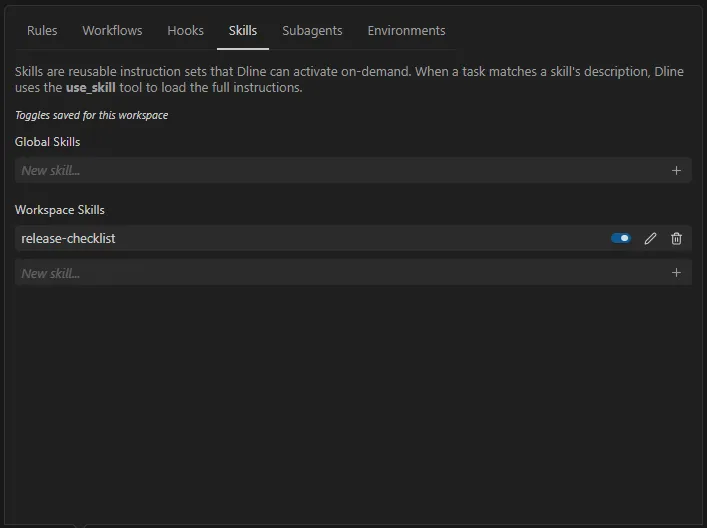
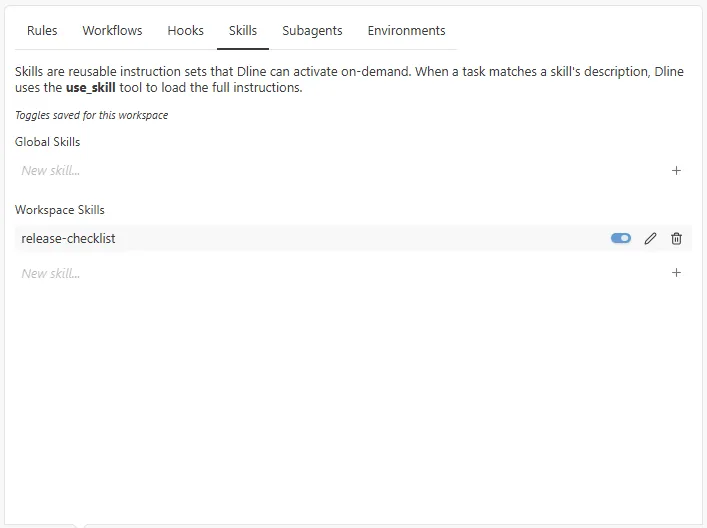
Section titled “Creating a skill”- Select the scale icon in the toolbar below the input box to open the capabilities panel, then switch to the Skills tab.
- Under Global Skills or Workspace Skills, choose New skill….
- Enter a name (letters, numbers,
-, and_) and select Create skill.
Dline creates and opens a template SKILL.md. The name is converted to lowercase.
Using skills
Section titled “Using skills”- Automatic loading: the model matches the task against skill descriptions and calls
load_skillwith the skill name. The clearer the description, the more likely the right skill is chosen. - Manual loading: type
/skills:<name>in the input box, for example/skills:aws-deploy, or pick it from the Skills group of the slash menu. The skill content is injected directly into that message. The skill must be enabled, and only the first slash command in a message is processed.
Each skill has a toggle and is enabled by default. When a skill is disabled, the model no longer sees it. The panel shows where toggles are saved (current task only or current workspace).
Supporting files
Section titled “Supporting files”load_skill returns only the body of SKILL.md and its path. It does not read other files in the directory or run scripts. To use bundled documents or scripts, state their relative paths and usage in SKILL.md; the model can then use file-reading or command-execution tools as needed, and those actions remain subject to your approval settings.